Svanja reads your email and keeps notes and files on your clients, so you should know where that data goes. This page explains where everything lives and who can see it. It also covers how to download your data, restore something you deleted, and delete your account.
The legally binding version is our privacy policy at app.svanja.com/privacy, which lists every company involved. If your clients ask you for a data processing agreement, you can get one at app.svanja.com/dpa.
Where is my data stored?
Svanja runs on Hetzner servers in Germany. Everything we store stays there, including your Spaces and files, the database, the service that connects to your mailboxes, and all backups.
Your email stays with your mail provider. Svanja only stores what the inbox needs to work: the sender, subject, date, folders, and a short preview of each message, along with your drafts, notes, tags, and reminders. When you or the assistant open an email, Svanja fetches the full text and attachments from your provider. See Connecting your mailbox.
We encrypt passwords and sign-in tokens for your mailboxes and connected services. API keys are stored in a one-way format that can’t be turned back into the original key. Your Svanja password is stored only as a hash, a scrambled version nobody can read back.
What does the assistant see?
The assistant can only see what the person using it can see. If a team member doesn’t have access to a mailbox or Space, their assistant can’t open it either. To keep the assistant out of a Space completely, turn on Hide from the assistant in that Space’s settings. The assistant won’t search, read, or change anything in it, while your team can still use the Space normally.
You control what the assistant can do on its own, such as sending email or moving messages to Trash, in Settings, Assistant. See What the assistant may do on its own. Any AI apps or scripts you connect through MCP or an API key can only access the areas, Spaces, and mailboxes you approve.
What goes to the AI providers?
The assistant runs on AI models from outside companies, known as AI providers. For each step, Svanja sends only what that step needs: your request and the relevant parts of your emails, notes, and files. It never sends your whole mailbox.
Our main provider is OpenAI, which processes requests in the USA. Some background steps, like naming a chat or writing a summary, go through OpenRouter, which forwards the request to the model’s provider. Svanja uses their business services, so your content isn’t used to train their models. OpenAI keeps request data for up to 30 days to detect abuse.
Where does the cloud computer run?
Some tasks need a computer to run a script or use a website. That cloud computer runs on Fly.io, and its data center may be outside the EU. It holds the files for that task, any tools it installs, and the website sign-ins you make there. Your connection logins are never stored on it. If you want that work to stay on your own hardware, you can pair a machine of your own. See The computer and its browser.
Who in my team can see what?
- Mailboxes: only the people given access. Whoever connected the mailbox has access from the start.
- Your Personal Space: only you.
- Client and project Spaces: the people added to them, plus the team’s owner and administrators, who can always open them.
- The team library: everyone in the team.
- Svanja staff: we only look at your content when you ask us to, when we need to keep the service secure or stop misuse, or when the law requires it.
See Your account and team for more on team roles.
Export everything
You can download your data at any time as a single zip file.
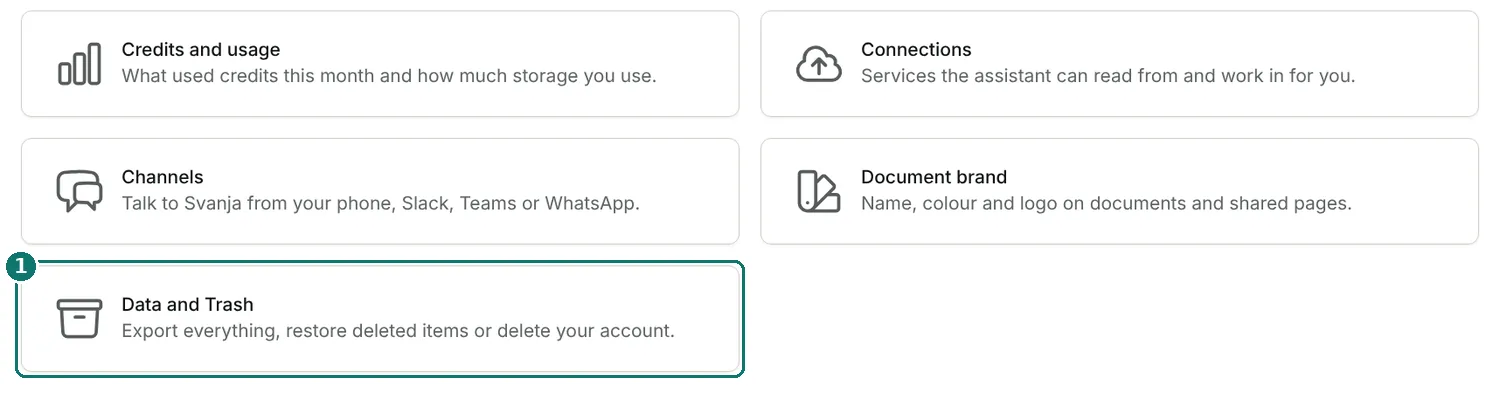
- Open Data and Trash.
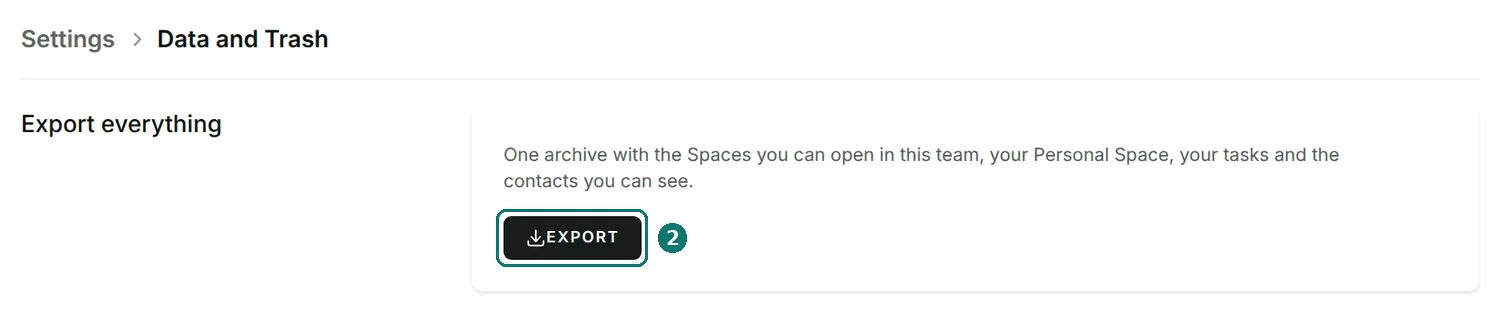
- Under Export everything, choose Export.
- When the export is ready, choose Download.
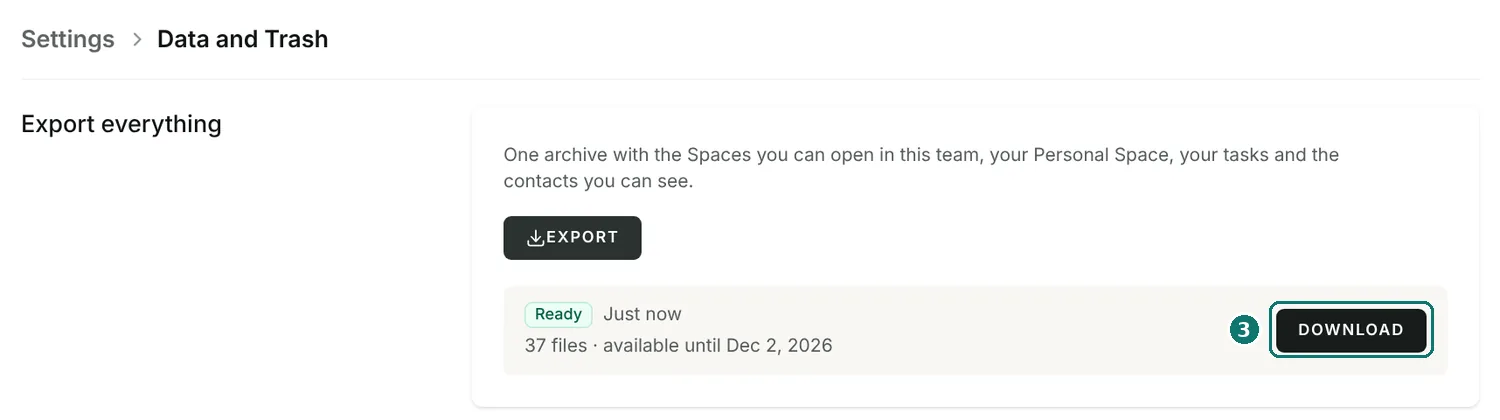
The archive includes the Spaces you have access to in this team, your Personal Space, your tasks, your contacts and companies, the rules you can read, and your saved documents. You can import Spaces and rules back into Svanja later. Tasks and contacts come as data files you can open in a spreadsheet. The download stays available for 7 days.
Your email isn’t in the archive because it stays with your mail provider. Each export covers only the team you’re currently in, so if you belong to several teams, switch teams and export each one separately. To export a single Space, with or without its history, see Import, export and Git.
Restore something you deleted
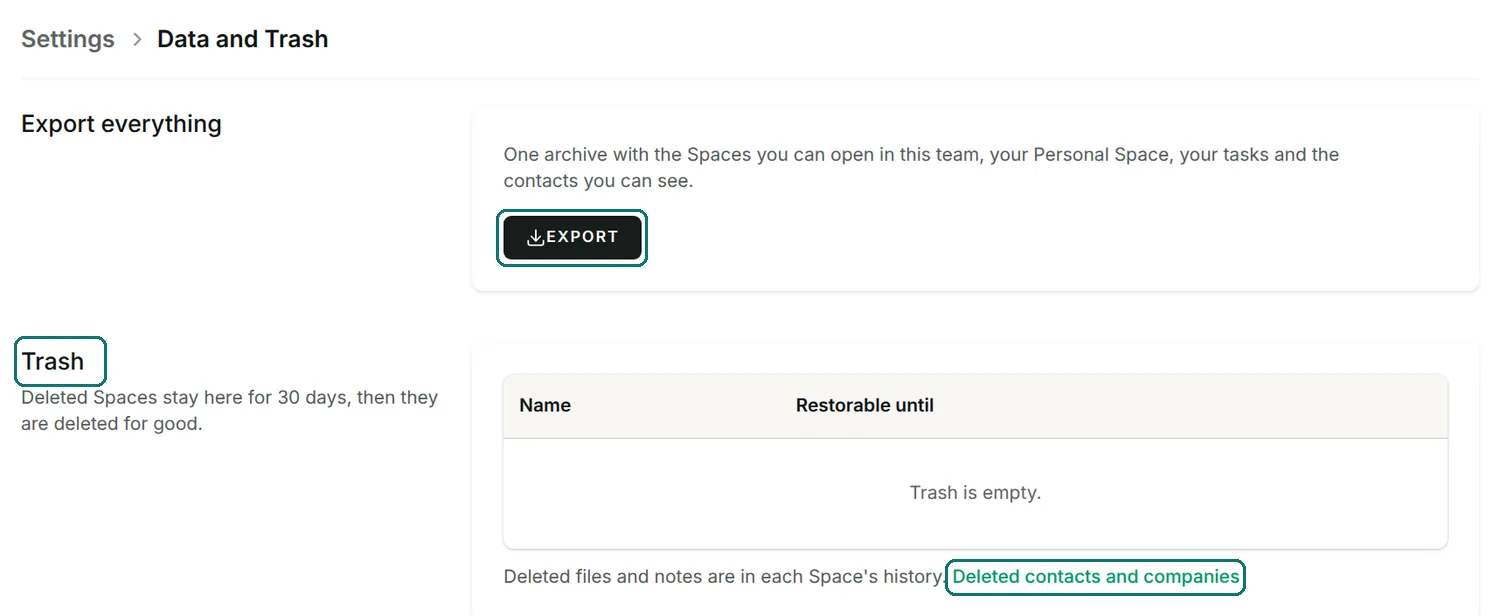
Deleted Spaces, files, and notes go to Trash first. You have 30 days to restore them on Free, 60 days on Pro, and 90 days on Team. After that, they are deleted permanently.
- Spaces: open Data and Trash. Each deleted Space shows the date it can be restored until, and Restore.
- Files and notes: open the Space and look in its Trash folder or its History.
- Contacts and companies: open Deleted contacts and companies on Data and Trash.
Your Personal Space and the team library can’t be deleted.
How does history work in a Space?
Every Space keeps a record of all changes to its notes and files, along with the name of the person who made each change. Edits made by the assistant are marked as such. In the Space’s History, you can compare an older version with the current file, restore it, or undo one change while keeping later edits. Older versions stay available as long as the Space exists. See Spaces, notes and files.
Changes across Svanja, such as an edited contact or updated files in a Space, also appear under Changes in Tasks. Many of them have Undo.
What happens when I disconnect a mailbox?
Svanja stops loading and sending email for that mailbox. Any email data Svanja already stored stays in Svanja until the team is deleted. Nothing is deleted at your mail provider.
What happens when I delete my account?
Deleting your account removes the teams you own along with all their Spaces and data. In teams owned by someone else, only your access ends. Backups are deleted after 35 days. For the steps, see Your account and team.
How long does Svanja keep things?
| What | How long |
|---|---|
| Your content: mail data, Spaces, files, tasks, chats, rules, contacts | Until you or your team delete it |
| Backups | 35 days |
| Log files | 14 days |
| The assistant’s security logs and your team’s activity history | One year |
| Billing records | As long as tax law requires, up to ten years in Germany |
If you have questions about your data, write to support@svanja.com.