Svanja has three plans: Free, Pro, and Team. Your plan sets how many mailboxes, Spaces, and how much storage you get, along with your monthly credits. Credits pay for the AI work the assistant does for you. Reading and writing email yourself never uses credits, and neither do your notes, files, or contacts.
Every plan belongs to a team. On the Team plan, several people share one plan and its credits. See Your account and team.
Which plans are there?
Free is for one person with a single mailbox. Pro is for one person who needs more mailboxes and heavier work from the assistant. Team is built for studios and agencies.
| Free | Pro | Team | |
|---|---|---|---|
| Price | €0 | €29 a month or €290 a year | €24 per member a month or €240 a year, from 2 members |
| Credits each month | 300 | 3,000 | 2,500 per member, shared by the team |
| Members | 1 | 1 | 1 per seat |
| Mailboxes | 1 | 5 | 5 per member |
| Storage | 1 GB | 50 GB | 100 GB plus 25 GB per member |
| Client and project Spaces | 3 | no limit | no limit |
| Rules with AI turned on | 3 | no limit | no limit |
| Connections | 3 | no limit | no limit |
| Models | Economical, Standard | also Deep | also Deep |
| Tasks at the same time | 1 | 3 | 3 per member, up to 30 |
| Computer time | 120 minutes a month | no extra limit | no extra limit |
Prices don’t include VAT. Paddle is our reseller and adds VAT where it applies. A seat is one member on a Team plan.
A model is the AI that does the work. Deep is the strongest option, suited for long investigations and code. Pro also lets you publish to anyone and use your own domain. Team adds shared mailboxes, shared Spaces, a team library, and team rules.
On Pro and Team, you can add 5 extra mailboxes for €10 a month, or one extra custom domain for €3 a month. Paying yearly costs ten times the monthly rate.
What is a credit?
A credit is how Svanja measures AI work. At list price, one credit costs one euro cent, which matches the base credit pack of 1,000 credits for €10.
What uses credits?
The Credits and usage page groups everything that uses credits into four categories. Each task also shows what it cost.
| Kind on the page | What counts | Cost |
|---|---|---|
| AI | The assistant’s answers and tasks, writing help in Mail, and each run or test of a rule with AI | Depends on the work. Deep costs more. |
| Computer | Minutes the cloud computer works | 3 credits a minute. Your own paired machine is free. |
| App builds and documents | Documents the assistant builds, like a PDF from a template | 1 credit per PDF |
| Voice | Speaking to the assistant instead of typing | 1 credit a minute |
A quick question takes a few credits, while a long investigation uses more. Rules that only sort mail are free.
Set a limit for big tasks
If a task will likely need more than 200 credits, the assistant shows an estimate and waits for your approval before starting. You can change that threshold at any time.
- Open Credits and usage.
- Under Ask before big tasks, enter an amount in Ask when a task needs more than (credits).
- Choose Save.
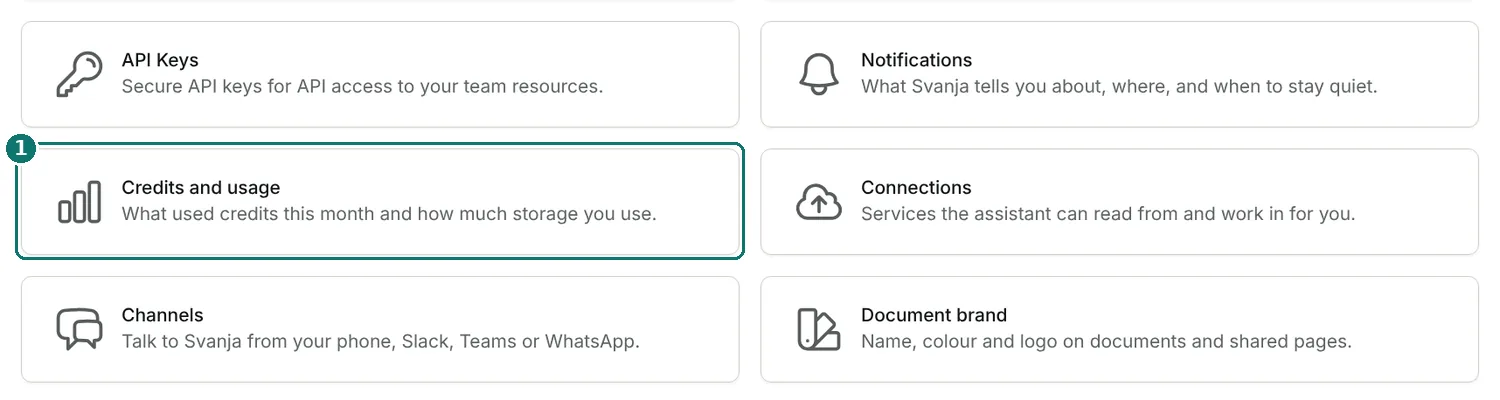
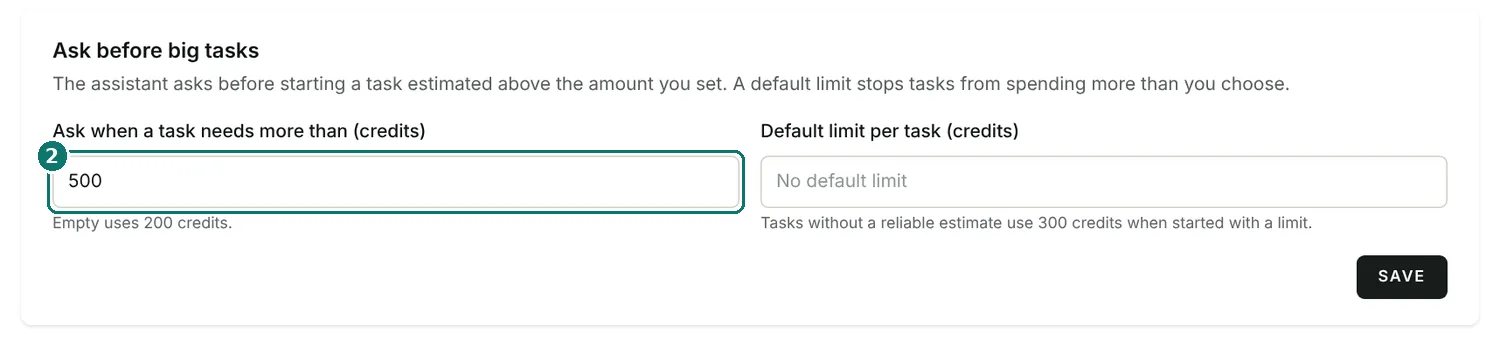
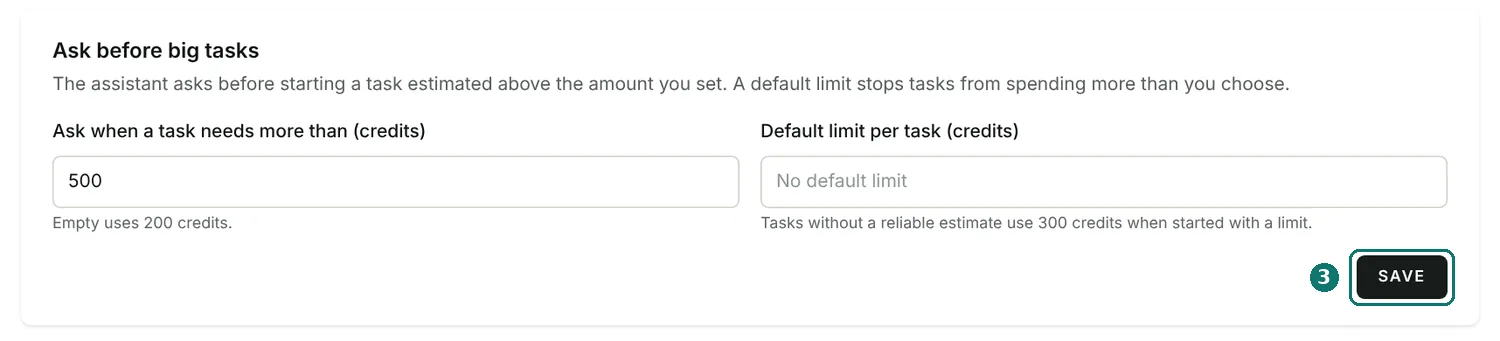
Right below that, Default limit per task (credits) sets a ceiling for every task. If a task hits the limit, it pauses until you raise the cap to let it continue.
When do I get new credits?
On Free, you get 300 credits on the first day of every month. Any credits you don’t use expire at the end of the month.
On Pro and Team, credits renew each month on the date your subscription started, even if you pay yearly. Unused plan credits carry over, up to a cap of 6,000 on Pro or 5,000 per member on Team after the renewal. For example, if you have 5,000 left on Pro, the renewal adds 3,000 and caps your starting balance at 6,000.
If you cancel a paid plan, its included credits end when the plan does. Any credits you bought separately stay in your account until they expire.
See where your credits went
Credits and usage shows how many of your monthly credits you have used, when they reset, and how many are left. Where credits went breaks them down by category, and Tasks that used the most links straight to each task. Download CSV exports every charge as a spreadsheet.
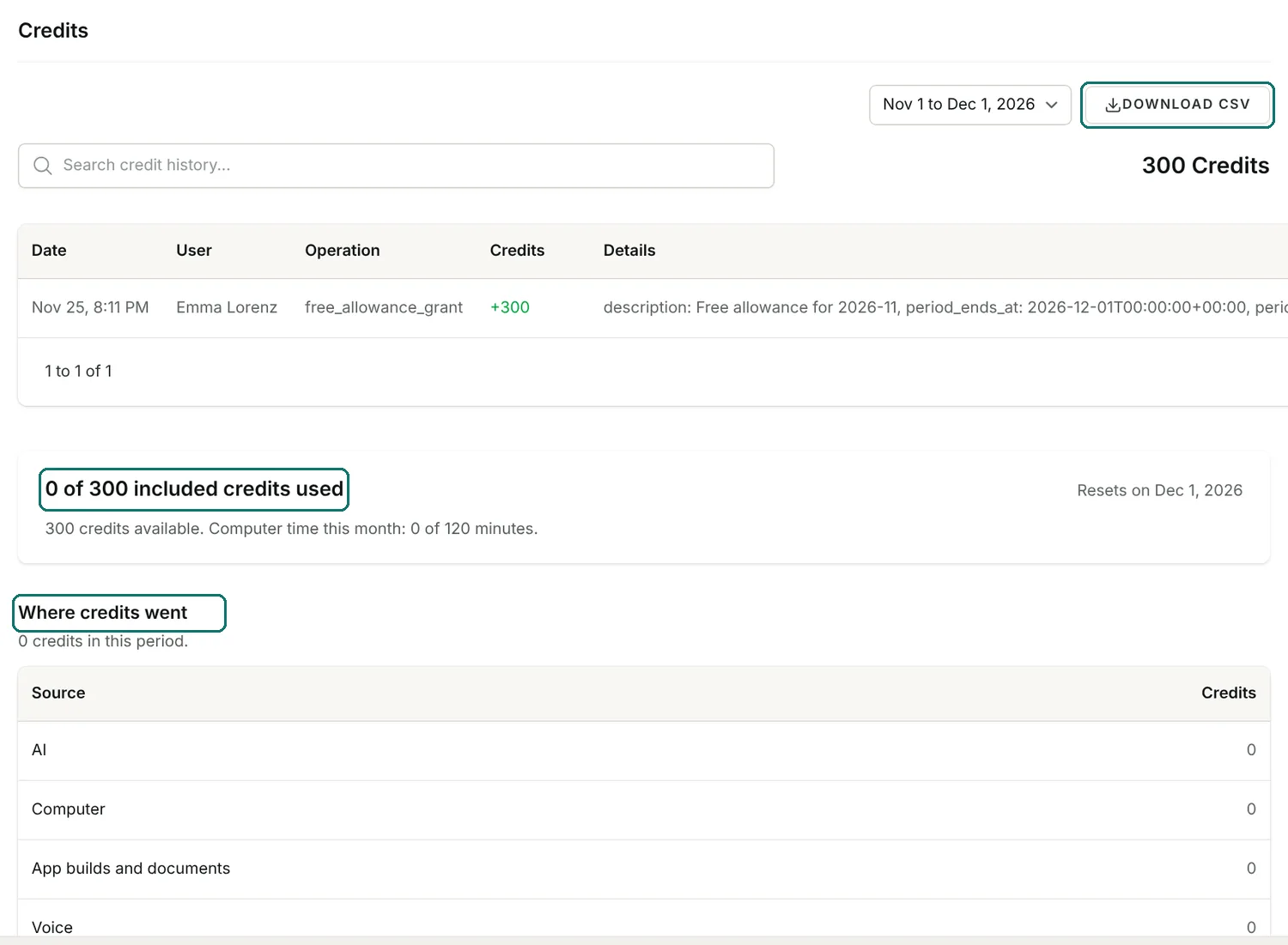
On the Team plan, this page also lists each member’s usage. An owner or admin can choose Change limit to set a monthly cap for a member. Once a member hits their limit, they have to wait until it is raised or the month resets.
What happens when credits run out?
You’ll get a notice when you’ve used 80% of your monthly included credits, and another when fewer than 100 remain. Once they run out, AI work, document builds, and the cloud computer pause until your credits reset or you buy more. Any running task pauses with Allowance used and picks back up once you have credits again. Rules with AI skip their runs, though you can trigger them later. Mail, Spaces, files, and exports keep working as usual.
Change or cancel your plan
Plan changes and credit purchases are turned off for now. Plan and billing currently shows “Plan changes are not available right now,” and your existing plan keeps working.
Normally, the team owner opens Settings and chooses Manage Subscription. Plan and billing displays your plan, seats, extras, and Invoices and payment method. Upgrades and extra seats take effect right away. Removing seats, dropping extras, or moving to a smaller plan takes effect at the next renewal, with no refund for the current period.
A cancellation takes effect at the end of the paid period, when the team moves to Free. Nothing gets deleted when a plan shrinks. Anything over the new limits becomes read-only or pauses. Under If your plan gets smaller, you can pick which mailboxes and AI rules stay active.
You can get a full refund on your first payment for a plan if you ask within 14 days through Help. Renewals are not refunded. You can read the full policy at app.svanja.com/refund.
Buy more credits
On Pro and Team, the owner can buy extra credit packs under Purchase Credits in Settings.
| Credits | Price |
|---|---|
| 1,000 | €10 |
| 5,000 | €48 |
| 10,000 | €90 |
Purchased credits stay valid for 12 months. Svanja spends your monthly plan credits first, then the purchased ones that expire soonest. You’ll get an email before any credits expire. An unused pack can be refunded within 14 days.
Auto Top-Up on the same page automatically buys a pack when your balance drops below the Threshold you set. You also choose the Top-Up Package and set a Monthly limit in EUR, excluding VAT that Svanja will never cross. You are charged as soon as a top-up triggers.
How much storage do I have?
Your storage covers your Space files, their version history, and the documents the assistant creates. Email doesn’t count toward your limit because it stays with your mail provider. The bottom of Credits and usage shows how much space you’re using and lists your largest items. If your storage fills up, nothing is deleted, though new files wait until you free up room.